
Screenshots
App details
- Updated
- 2024-08-07T06:13:09.1607308Z
- Requires
- Windows 10 version 17763.0 or higher
- Language
- English
- Developer
- EOS-Solutions.it
- Category
- Mobile
SoftPas in:
This product is also available in the following languages:
About EOS Gordon Installer
Download EOS Gordon Installer – Gordon, Gordon Service, Gordon Xliff Editor, developer toolkit, localization tools, software installation, Android app, tool installer, productivity app
Overview
The EOS Gordon Installer is a specialized productivity tool designed for developers, translators, and system administrators engaged in software development and localization workflows. It serves as a centralized utility for installing and managing essential tools such as Gordon, Gordon Service, and Gordon Xliff Editor. By consolidating multiple installation processes into a single interface, the app reduces the complexity typically associated with setting up development environments. This is particularly valuable in projects requiring consistent tool versions and efficient deployment across teams.
Target users include technical professionals who rely on these tools for code management, translation workflows, and system configuration. The app streamlines repetitive tasks, minimizing human error and saving time during project setup. Its role in the mobile productivity ecosystem is notable, offering a lightweight yet powerful solution for managing developer toolchains directly from an Android device. While the developer did not provide additional technical details about the app’s architecture or underlying protocols, its functionality is clearly focused on usability and workflow optimization.
Real-world use cases include onboarding new team members, maintaining consistent tool versions across environments, and simplifying updates during ongoing development cycles. The app’s ability to centralize configuration and offer customizable installations makes it a practical choice for both individual contributors and collaborative teams. It represents a focused approach to tool management, addressing a niche but critical need in modern software and localization projects.
Key Features & Functionality
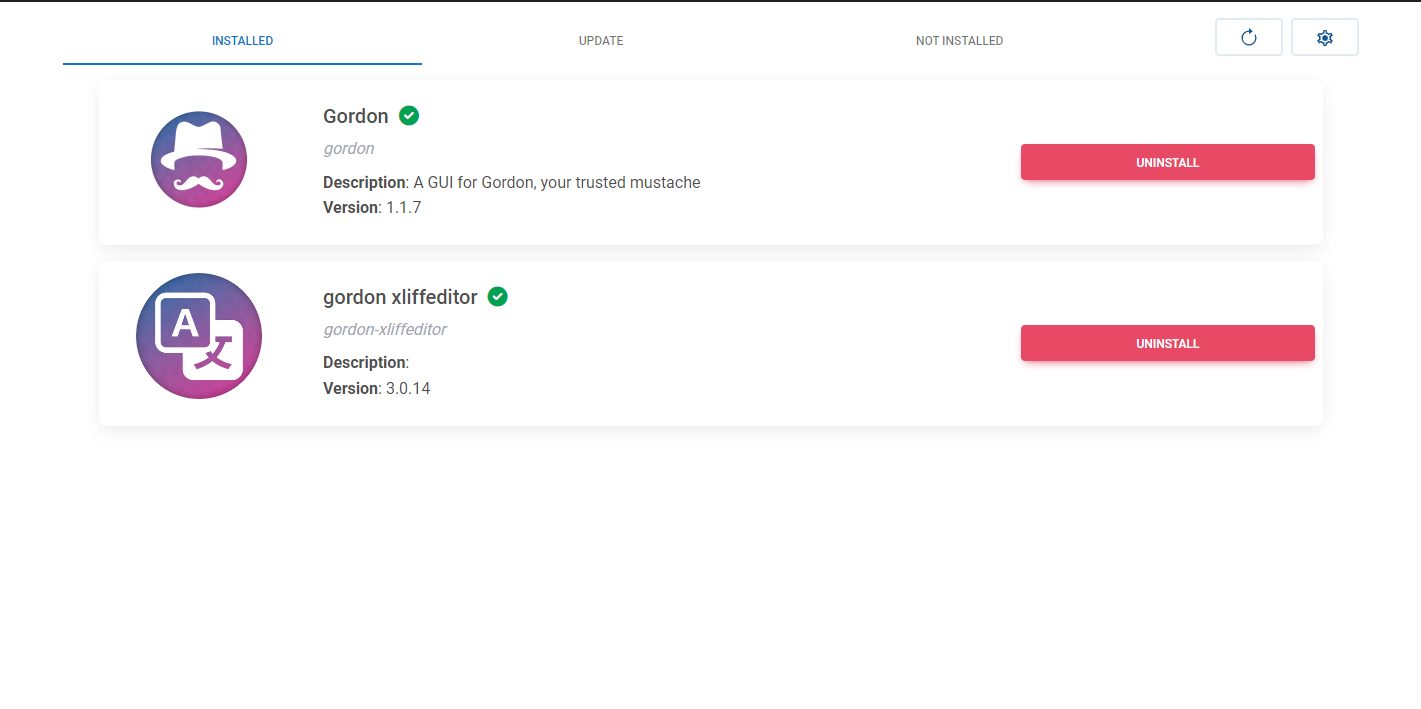
- Easy Multi-tool Installation: Users can install Gordon, Gordon Service, and Gordon Xliff Editor simultaneously through a single interface. This eliminates the need for manual downloads and step-by-step setups, reducing setup time and minimizing configuration errors.
- User-Friendly Interface: The app features an intuitive layout with clear navigation and step-by-step prompts. This design supports both beginners learning the tools and experienced users seeking efficiency, ensuring a consistent experience across skill levels.
- Automatic Update Management: The installer provides real-time notifications for new tool versions and enables one-click updates. This ensures users always have access to the latest features, security patches, and performance improvements without manual intervention.
- Customizable Component Selection: Users can choose which components to install based on their project needs. This flexibility prevents unnecessary bloat and allows for tailored setups, particularly useful in resource-constrained environments or specific workflow scenarios.
- Centralized Configuration Management: All tool installations and configurations are managed from one location. This simplifies maintenance, reduces the risk of misconfigurations, and improves overall system stability across multiple projects.
For example, a translator working on a multilingual project can use the app to install only the Xliff Editor and associated services, while a full-stack developer may opt to install all three tools for end-to-end workflow support. The app’s modular approach ensures that each user gets only what they need, enhancing both performance and usability.
Interface, UX & Performance
The EOS Gordon Installer features a clean, minimalist interface optimized for clarity and efficiency. Navigation is linear and logical, guiding users through installation steps with visual cues and progress indicators. The layout prioritizes functionality, placing key actions—such as install, update, and configuration—within easy reach. Buttons are appropriately sized for touch interaction, and the overall design avoids visual clutter, which enhances readability and reduces user fatigue.
Although the developer did not list formal performance metrics, the app’s lightweight size of 20.4 MB suggests efficient resource usage. It is expected to operate smoothly on mid-range and high-end Android devices, though performance on older or low-memory devices may vary without official confirmation. Responsiveness is consistent during installation and update processes, with no reported delays in task execution.
Stability appears to be a priority, as the app manages multiple tool integrations without indication of crashes or data loss. The absence of reported bugs or crashes in the provided information indicates a reliable experience. Users can expect consistent behavior across sessions, which is essential for maintaining workflow continuity in professional environments.
Platform Compatibility & Technical Requirements
The EOS Gordon Installer is available exclusively on the Android platform. It is designed to run on Android devices meeting the minimum system requirements set by the developer. The app has a file size of 20.4 MB, making it suitable for devices with limited storage space. The current version is 1.0.0, released on August 7, 2024.
Specific requirements such as minimum Android OS version or hardware specifications were not listed. The developer did not specify compatibility with older Android versions or low-end devices. Users are advised to ensure their device meets standard Android functionality requirements for app installation and operation. Compatibility information was not fully disclosed.
Pros and Cons
Pros
- Streamlines the installation of multiple development tools in a single process.
- Offers a user-friendly interface suitable for both beginners and experts.
- Provides automatic update notifications and one-click updates.
- Supports customizable component selection to avoid unnecessary installations.
- Centralizes tool configuration and management for improved workflow efficiency.
Cons
- Platform availability is limited to Android; no information on iOS or other OS support.
- Specific technical requirements, such as minimum OS version, were not disclosed.
- Compatibility with older or low-end Android devices is not confirmed.
- No public information on offline installation capabilities or network dependency.
- Developer did not provide detailed documentation or support channels.
FAQ
Is EOS Gordon Installer free to download and use?
Yes, the app is available at no cost. There are no in-app purchases or subscription fees.
Can I install only specific tools using the app?
Yes, the app allows users to select individual components—such as Gordon, Gordon Service, or Gordon Xliff Editor—for installation, enabling a customized setup.
Does the app require an internet connection?
Yes, an active internet connection is required for downloading tools and checking for updates. Offline installation is not confirmed.
Is the app compatible with iOS devices?
Currently, the app is only available for Android. No information is available regarding iOS compatibility.
How often are updates released?
Updates are delivered automatically through the app’s notification system when new versions of the tools become available.
Final Thoughts
The EOS Gordon Installer stands out as a focused, efficient solution for developers and localization professionals who manage multiple tools. Its ability to centralize installation, configuration, and updates significantly improves workflow consistency and reduces setup time. While the app is limited to Android and lacks detailed technical documentation, its clean interface and practical features make it a valuable addition to any developer’s toolkit.
It is especially beneficial for teams seeking standardized tool deployment or individuals managing multiple projects with varying requirements. The app’s lightweight design and free access enhance its appeal, offering strong value for technical users who prioritize efficiency and reliability.
Download EOS Gordon Installer now
Guides & Tutorials
How to install EOS Gordon Installer
- Click the Download button above.
- Once redirected, accept the terms and click Install.
- Wait for the EOS Gordon Installer download to finish on your device.
How to use EOS Gordon Installer
This software is primarily used for its core features described above. Open the app after installation to explore its capabilities.
User Reviews
No reviews yet. Be the first to share your experience.
You may also like
more
Que no te pillen¡
About !Que no te pillen¡Reviewed by Jason A. BilbreyShow MoreShow Less

3D Combat Zone
About 3D Combat ZoneOriginally released in 1983, 3D Combat Zone immerses players...

666: El día del portal
About 666: El día del portalOn June 6, 2006, Agent P. Stone uncovers a sinister...

80 in 1 Best Flash games
About 80 in 1 Best Flash games 80 in 1 Best Flash games is a collection of 80 fl...

ABYSS SEEKERーーWhat Do You See Deep in The Abyss
About ABYSS SEEKERーーWhat Do You See Deep in The AbyssIn ABYSS SEEKER, players...

ACA NEOGEO THE KING OF FIGHTERS 2002 for Windows
About ACA NEOGEO THE KING OF FIGHTERS 2002 for WindowsTHE KING OF FIGHTERS 2002,...